Help Center / Ban Appeals / How to design a Discord ban appeal form
How to design a Discord ban appeal form
The appeal page carries your server's name and asks exactly what you need to judge an appeal fairly.
The designer
- Open the designerFrom the Ban Appeals settings page press Design appeal page. You get a full-page editor with drag and drop blocks: headings, text, images and questions.
- Add your questionsAsk what you need to judge an appeal. Short text, long text and multiple choice are supported.
- PublishSave the design. The public appeal page updates immediately.
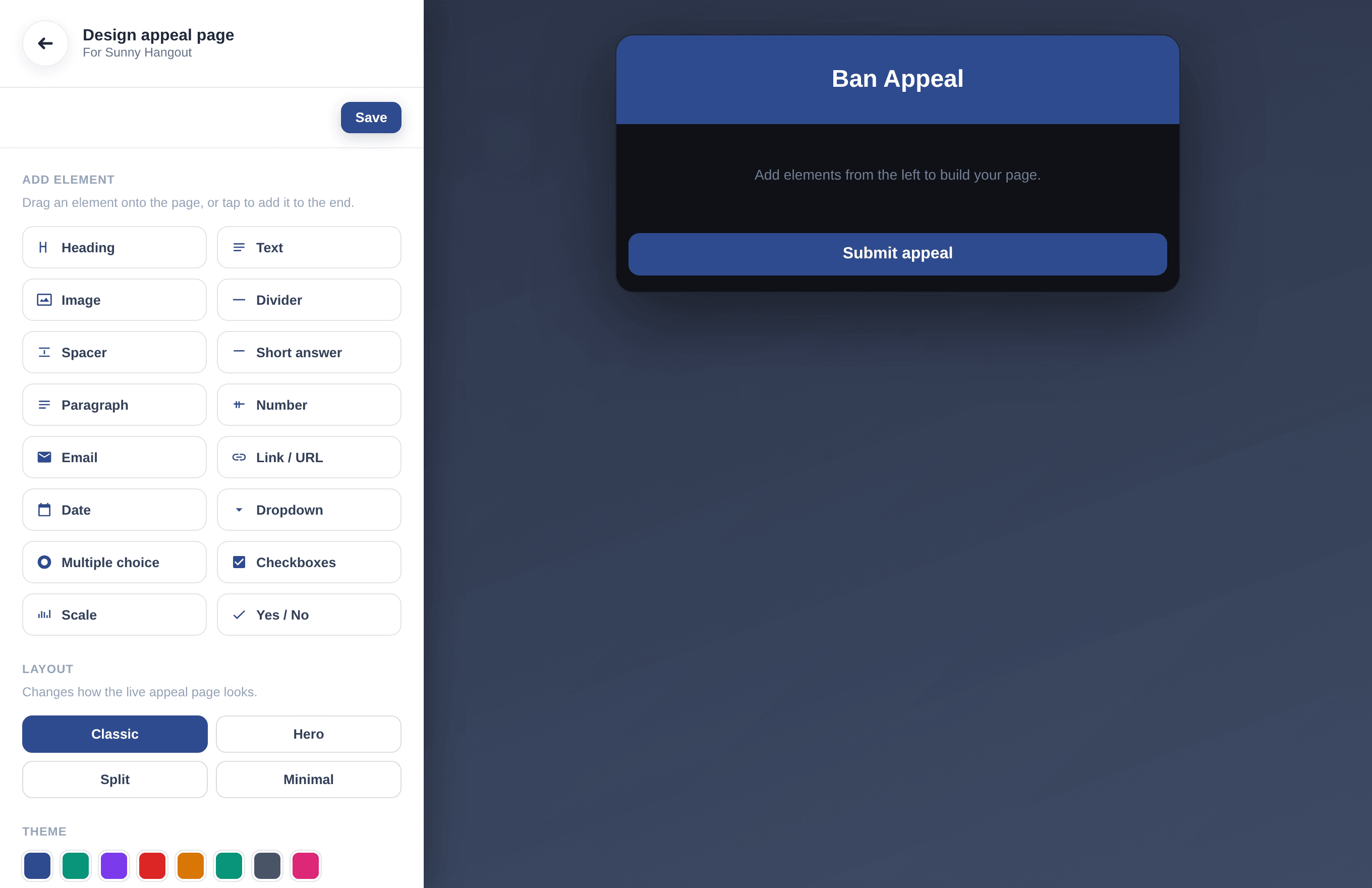
The appeal page designer: elements on the left, live preview of the public page on the right.
Tip. Layout and theme presets at the bottom of the designer restyle the whole public page in one click.
Can't find what you're looking for?
Ask us anything in our Discord and we'll help you out.
Ask in our Discord