Help Center / Emoji & Sticker Stealer / How to turn GIFs and emojis into Discord stickers
How to turn GIFs and emojis into Discord stickers
Discord stickers must be tiny APNG files. The bot does the whole conversion pipeline for you: trim, resize and compress.
GIF to sticker
- Run /gif2stickerThe bot asks for a GIF: a link from the Discord GIF tab, Tenor, Klipy or Giphy, or an uploaded .gif file.
- Send the GIFThe bot trims it to 5 seconds, resizes it, and reduces the frame rate if needed to fit under Discord's 512 KB sticker limit.
- DoneThe animated sticker lands in your server, ready to use.
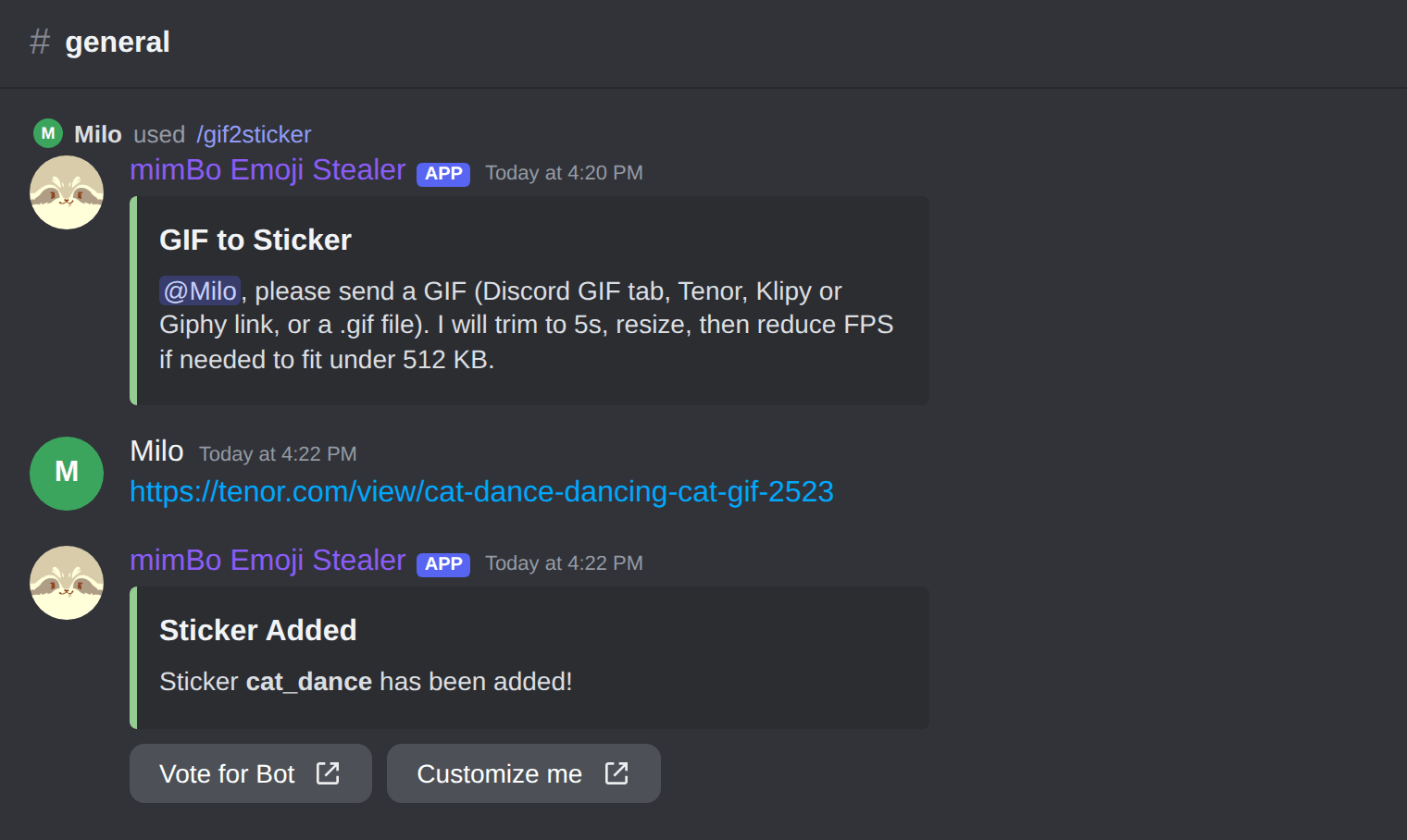
The /gif2sticker flow with a Tenor link.
Convert between emojis and stickers
| Command | What it does |
|---|---|
| /emoji2sticker emoji | Blow an emoji up into a sticker. |
| /sticker2emoji | Shrink a sticker down into an emoji. |
Can't find what you're looking for?
Ask us anything in our Discord and we'll help you out.
Ask in our Discord