Every Moderation setting explained
A full reference for the Moderation module. Every settings tab is shown exactly as it appears in the portal, with a plain-English explanation of what each option does.
General
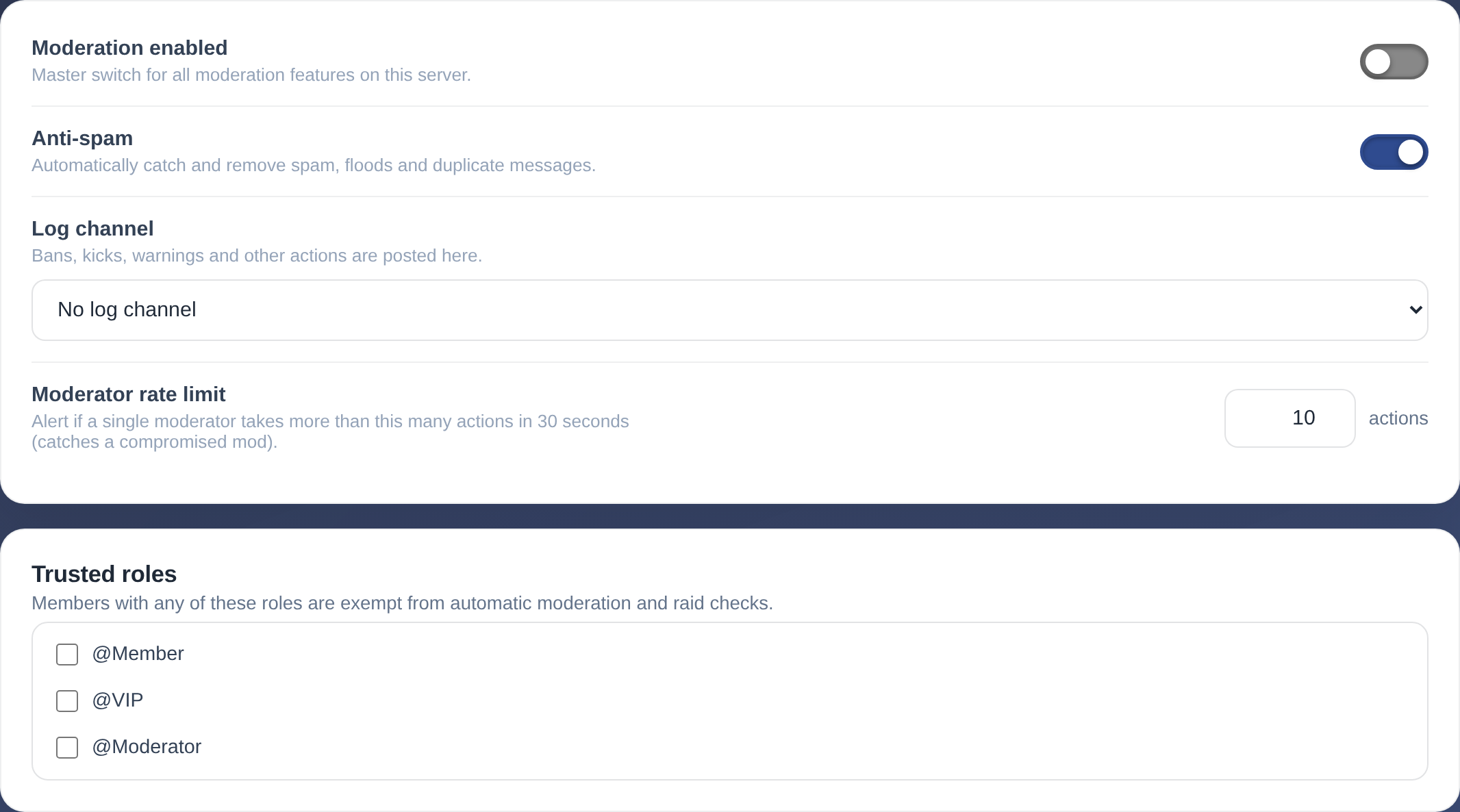
| Setting | What it does |
|---|---|
| Moderation enabled | Master switch for all moderation features on this server. |
| Anti-spam | Automatically catch and remove spam, floods and duplicate messages. |
| Log channel | Bans, kicks, warnings and other actions are posted here. |
| Moderator rate limit | Alert if a single moderator takes more than this many actions in 30 seconds (catches a compromised mod). |
Members with any of these roles are exempt from automatic moderation and raid checks.
New members
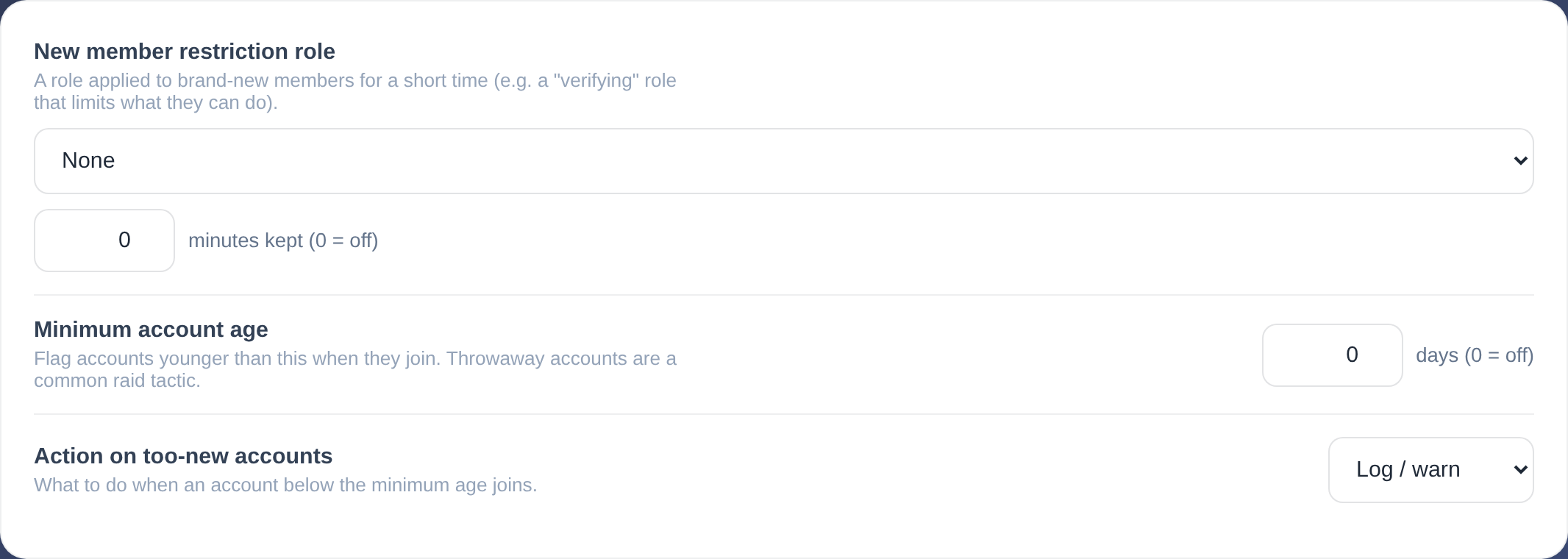
| Setting | What it does |
|---|---|
| New member restriction role | A role applied to brand-new members for a short time (e.g. a "verifying" role that limits what they can do). |
| Minimum account age | Flag accounts younger than this when they join. Throwaway accounts are a common raid tactic. |
| Action on too-new accounts | What to do when an account below the minimum age joins. |
Spam detection
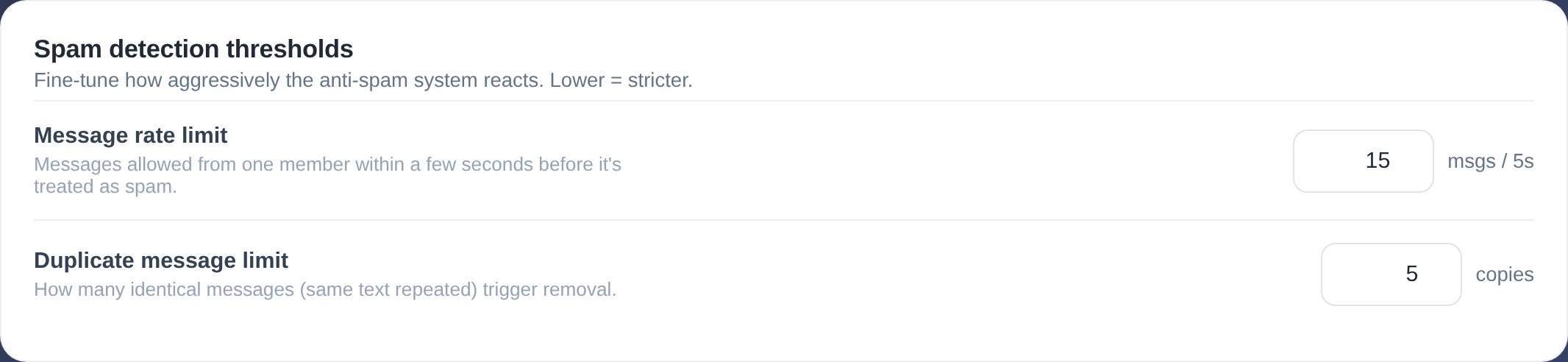
Fine-tune how aggressively the anti-spam system reacts. Lower = stricter.
| Setting | What it does |
|---|---|
| Message rate limit | Messages allowed from one member within a few seconds before it's treated as spam. |
| Duplicate message limit | How many identical messages (same text repeated) trigger removal. |
Logging
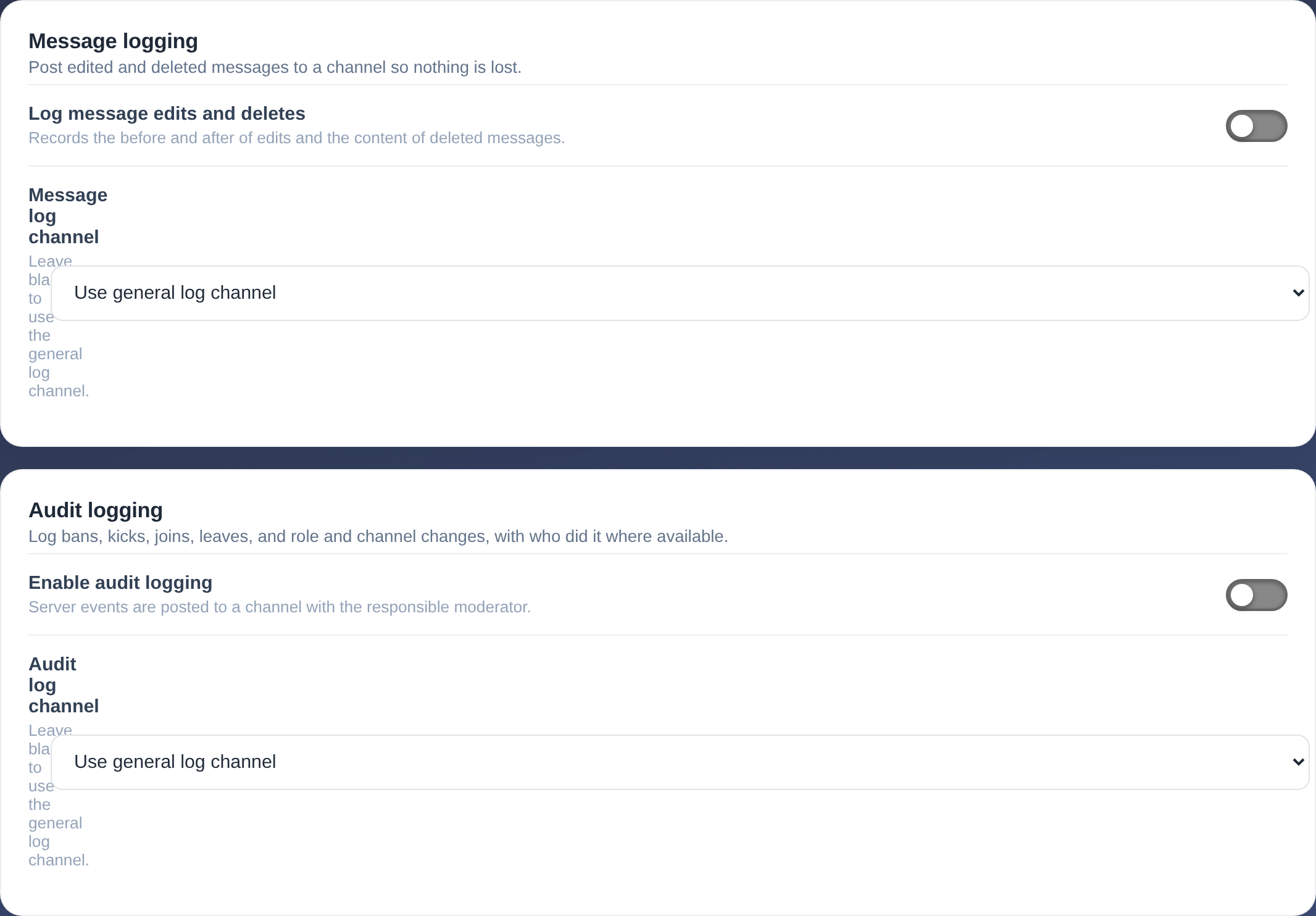
Post edited and deleted messages to a channel so nothing is lost.
| Setting | What it does |
|---|---|
| Log message edits and deletes | Records the before and after of edits and the content of deleted messages. |
| Message log channel | Leave blank to use the general log channel. |
Log bans, kicks, joins, leaves, and role and channel changes, with who did it where available.
| Setting | What it does |
|---|---|
| Enable audit logging | Server events are posted to a channel with the responsible moderator. |
| Audit log channel | Leave blank to use the general log channel. |
Protection
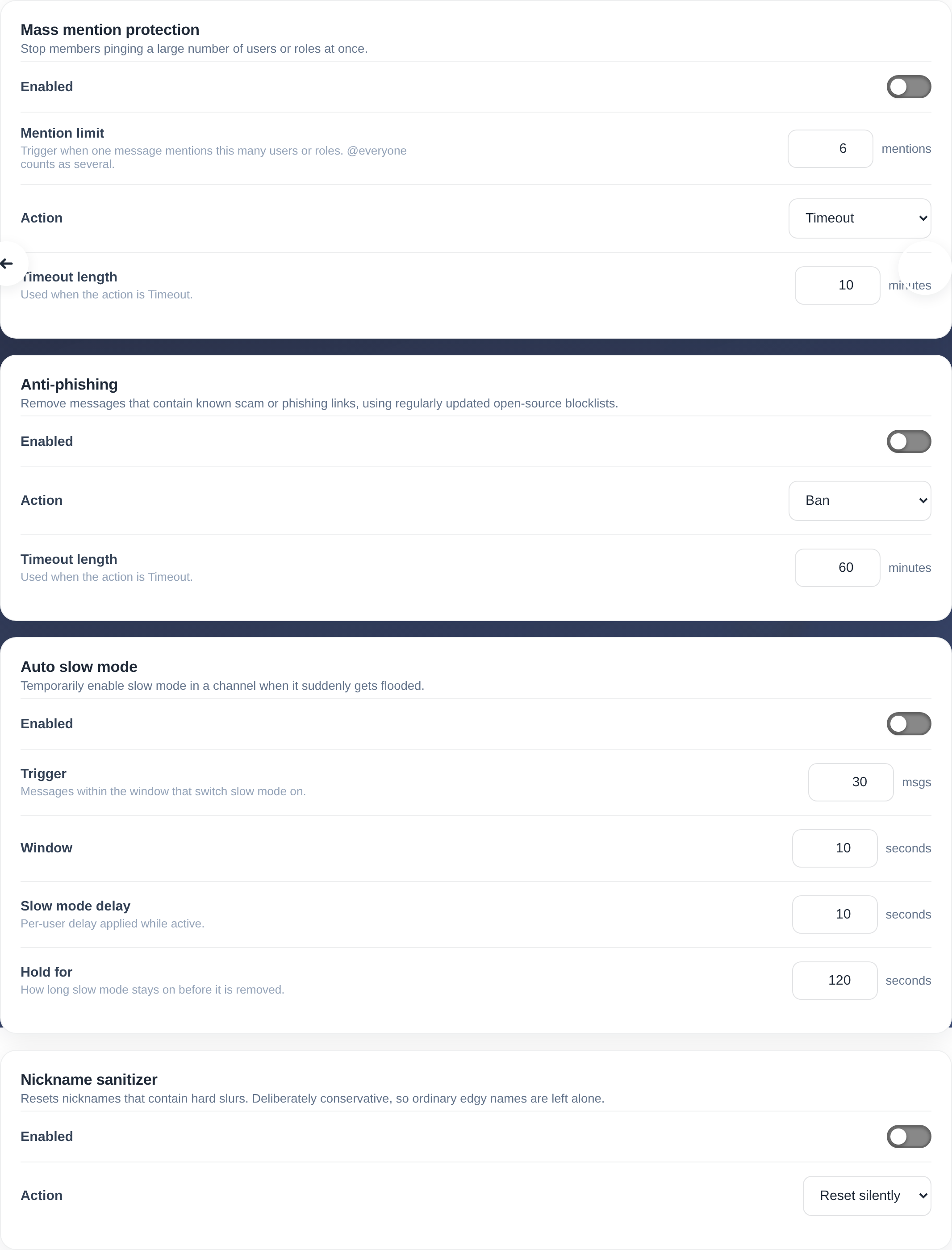
Stop members pinging a large number of users or roles at once.
| Setting | What it does |
|---|---|
| Enabled | — |
| Mention limit | Trigger when one message mentions this many users or roles. @everyone counts as several. |
| Action | — |
| Timeout length | Used when the action is Timeout. |
Remove messages that contain known scam or phishing links, using regularly updated open-source blocklists.
| Setting | What it does |
|---|---|
| Enabled | — |
| Action | — |
| Timeout length | Used when the action is Timeout. |
Temporarily enable slow mode in a channel when it suddenly gets flooded.
| Setting | What it does |
|---|---|
| Enabled | — |
| Trigger | Messages within the window that switch slow mode on. |
| Window | — |
| Slow mode delay | Per-user delay applied while active. |
| Hold for | How long slow mode stays on before it is removed. |
Resets nicknames that contain hard slurs. Deliberately conservative, so ordinary edgy names are left alone.
| Setting | What it does |
|---|---|
| Enabled | — |
| Action | — |