Help Center / Reaction Roles / The reaction-roles command and how panels work
The reaction-roles command and how panels work
Panels are designed on the dashboard and posted to your channels; the bot handles the clicks.
The command
| Command | What it does |
|---|---|
| /setup | Open the dashboard to build role menus with buttons or reactions, then post them to any channel. Needs Manage Server. |
How a panel behaves
Every button or reaction is set up on the dashboard with its own label, colour and emoji.
| Command | What it does |
|---|---|
| Toggle (default) | Adds the role if the member does not have it, removes it if they do. |
| Unique | Only one role from the menu at a time; picking a new one removes the others. |
| Add only / Remove only | The button always grants, or always removes, the role. |
What it looks like
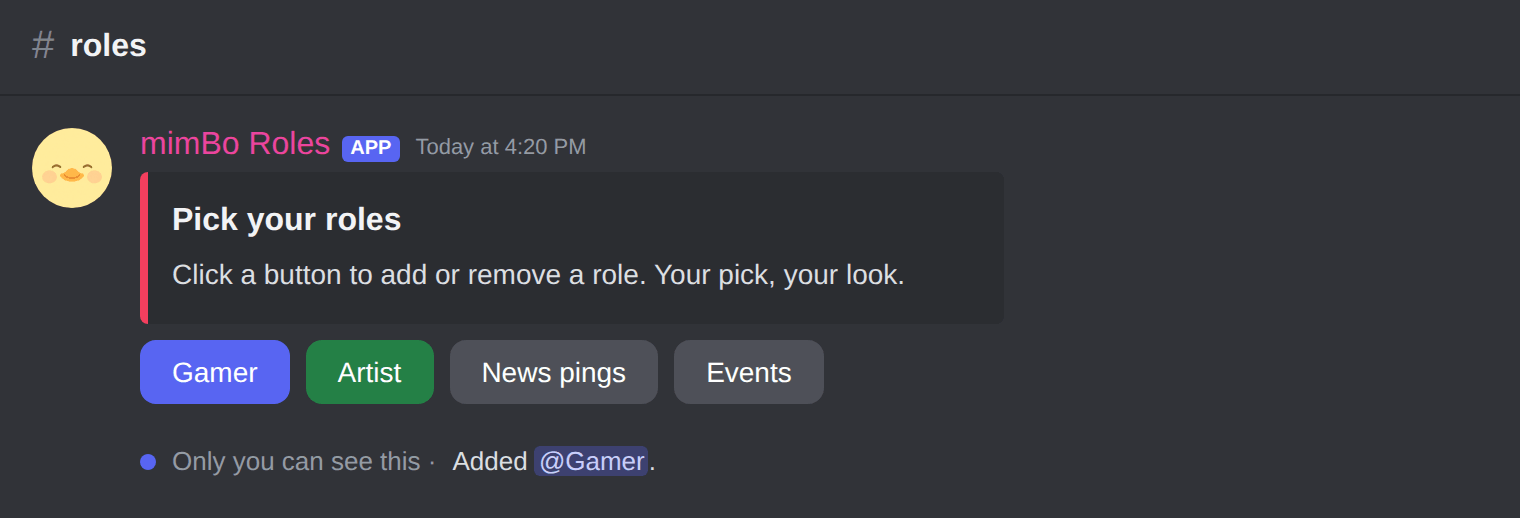
A button role panel members click to self-assign roles.
Tip. Put the bot's role above every role it hands out, or Discord will block the assignment.
Previous: Buttons or reactions: which self-assign roles to use Next: Fixing common Discord reaction role problems
Can't find what you're looking for?
Ask us anything in our Discord and we'll help you out.
Ask in our Discord