Help Center / Anti-Raid / Every Discord anti-raid command and threshold
Every Discord anti-raid command and threshold
The emergency controls and the tripwires that catch raids before they do damage.
Emergency controls
| Command | What it does |
|---|---|
| /lockdown enable|disable | Instantly lock or unlock every channel. Admin only. |
| /raidstatus | A full status panel: lockdown, anti-spam, account-age gate, thresholds and recent suspects. Needs Manage Server. |
| /restore latest | Roll the server structure back to the newest automatic backup. Admin only. |
| /restore specific index | Restore a chosen backup (latest, second or third latest). |
Tune the tripwires
| Command | What it does |
|---|---|
| /raidthresholds | Open a form to set the per-3-second and per-5-second limits for channel/role creates and deletes and messages. Needs Manage Server. |
| /criticalthresholds set type value | Set an instant-ban threshold for mass channel/role creation or deletion (anti-nuke). Admin only. |
| /criticalthresholds list | Show the current instant-ban thresholds. |
| /setagecheck days | Flag accounts younger than N days (0 disables). Needs Manage Server. |
| /newmemberrole [role] [duration] | Auto-assign a role to new members, optionally for a set time. |
Exemptions
So your staff and known bots never trip the detection.
| Command | What it does |
|---|---|
| /trustedrole add|remove|list | Manage roles that are exempt from raid detection. Needs Manage Server. |
| /whitelist add|remove|list | Whitelist automation bots that legitimately create channels or roles. Admin only. |
What it looks like
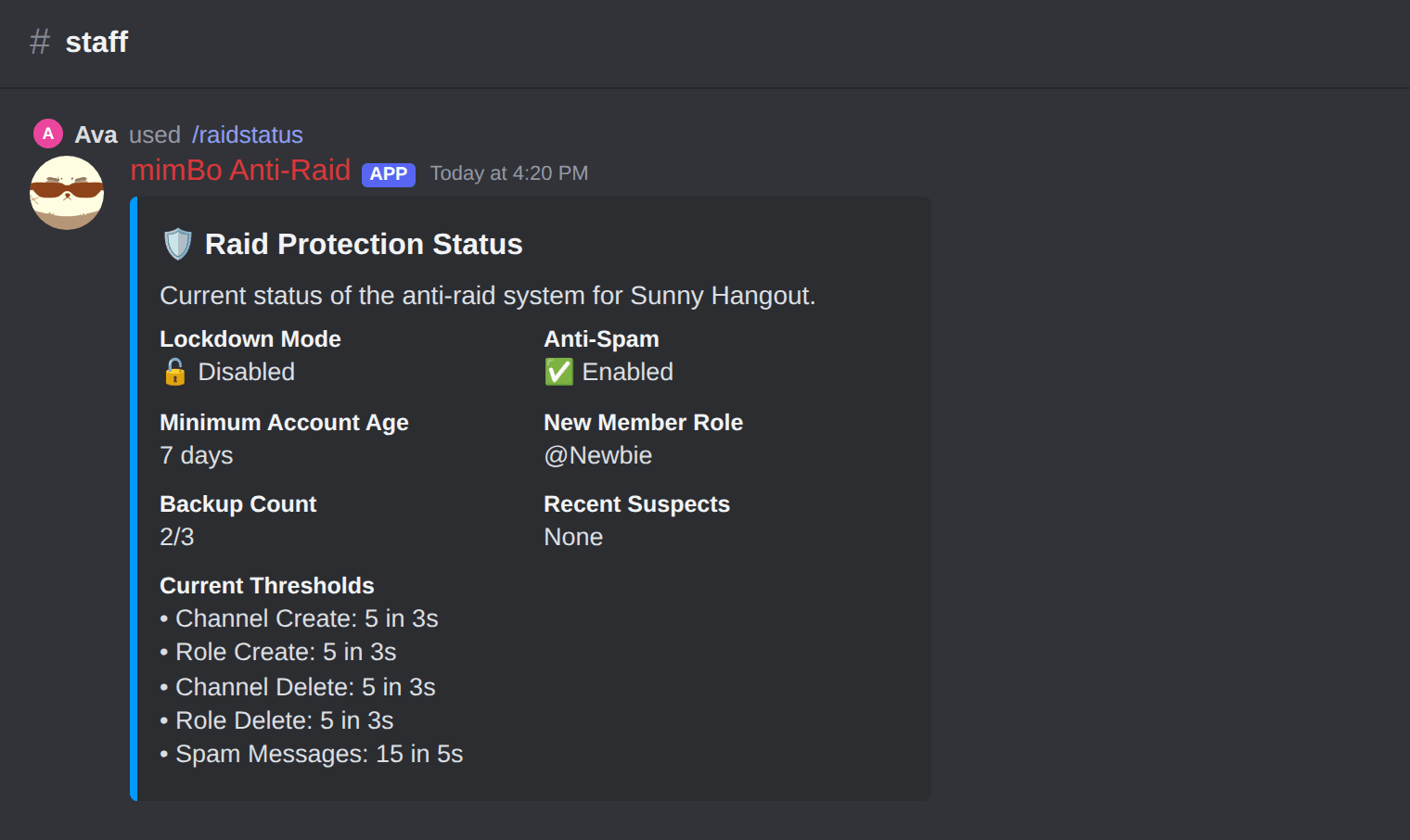
The /raidstatus panel: protections, thresholds and recent suspects.
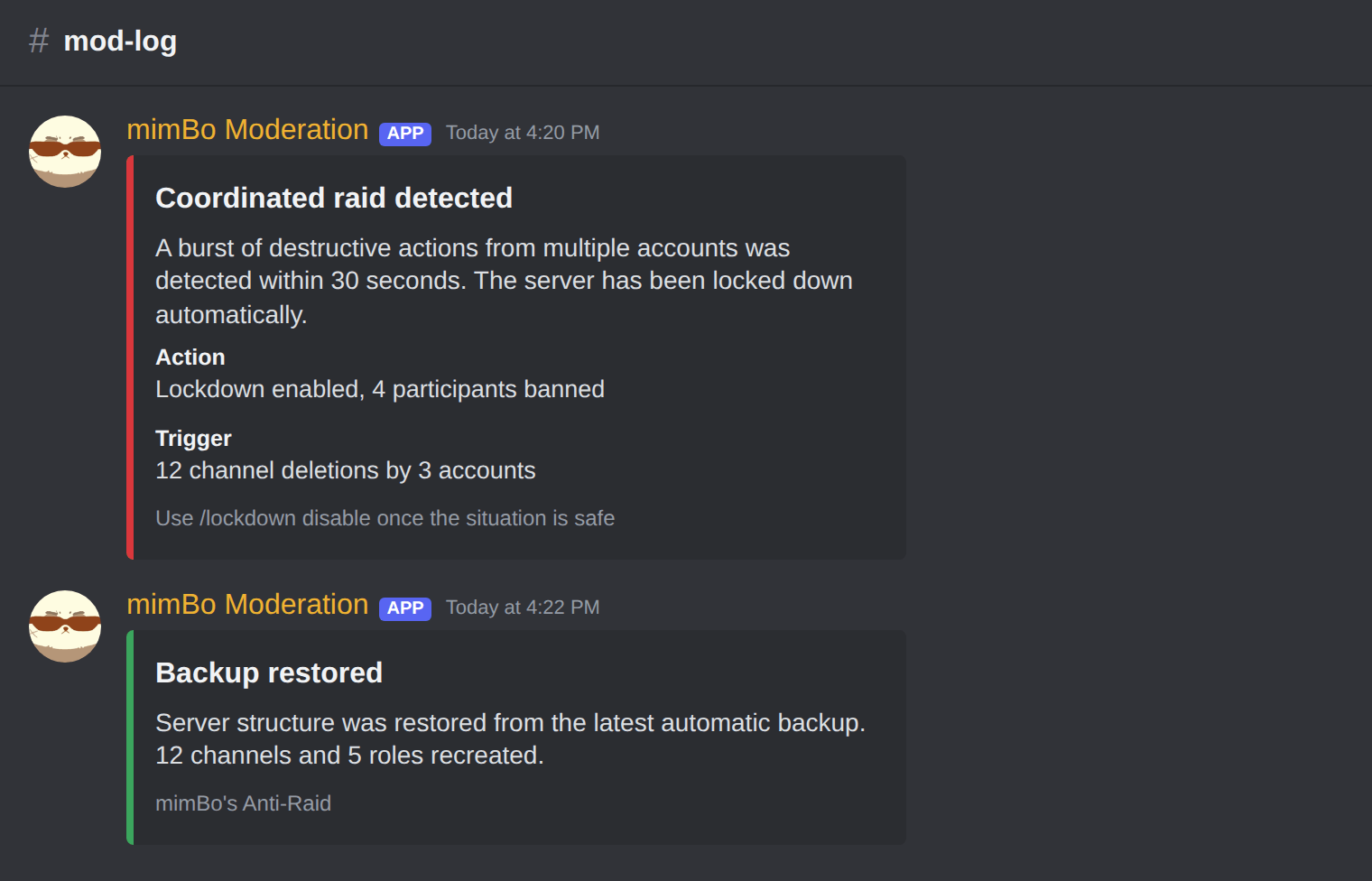
A coordinated raid caught, locked down and the participants banned automatically.
Previous: How to back up and restore a Discord server Next: Fixing common Discord anti-raid problems
Can't find what you're looking for?
Ask us anything in our Discord and we'll help you out.
Ask in our Discord