Help Center / Form Builder / Every application-forms command and the review flow
Every application-forms command and the review flow
Members apply on the web; staff review and decide right inside Discord.
The commands
| Command | What it does |
|---|---|
| /apply | Members pick a form and fill it out on the web, signed in with Discord. |
| /forms-panel | Post a public panel with an apply button. Needs Manage Server. |
| /setup | Open the dashboard to build forms: staff, whitelist, partnerships and more. Needs Manage Server. |
The review flow
Each submission posts to your review channel with the answers and two buttons.
| Command | What it does |
|---|---|
| Accept | Approves the application, optionally grants a role, and DMs the applicant. Needs Manage Server. |
| Reject | Declines it and DMs the applicant, with an optional note. |
What it looks like
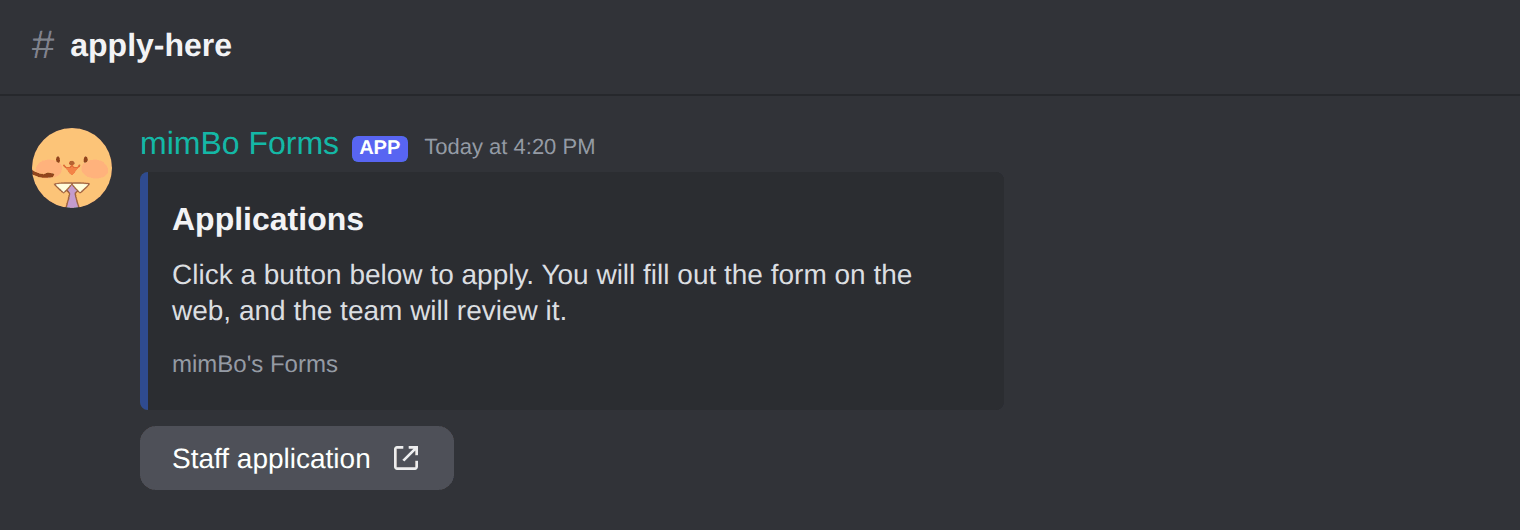
The apply panel members click.
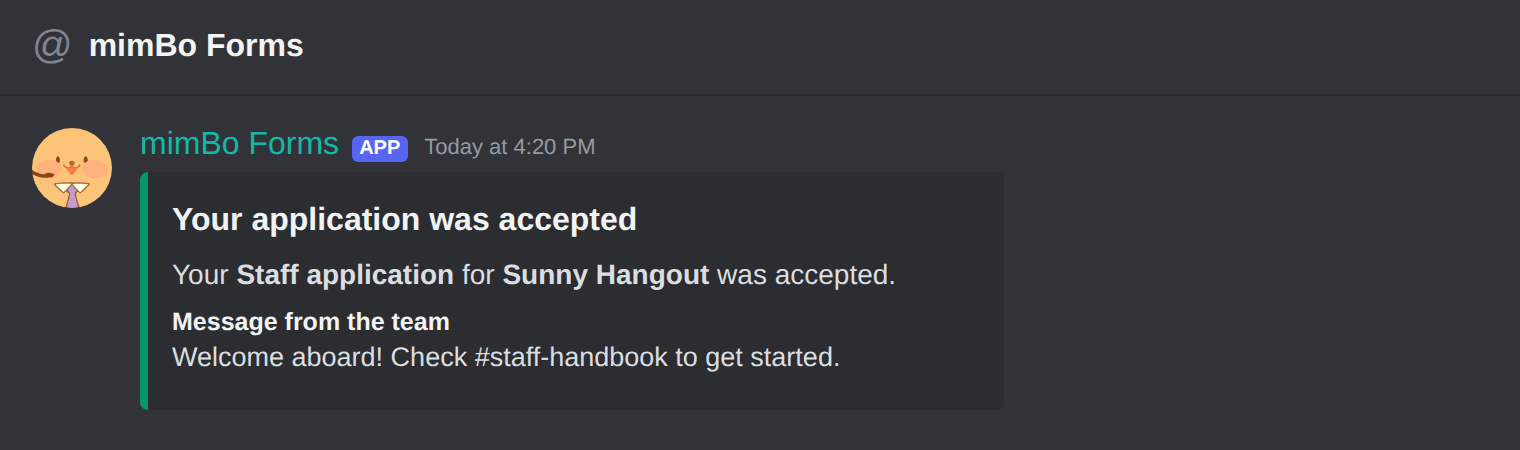
The DM an applicant gets when a decision is made.
Previous: How to review applications and grant roles automatically Next: Fixing common Discord application form problems
Can't find what you're looking for?
Ask us anything in our Discord and we'll help you out.
Ask in our Discord