Help Center / Form Builder / How to review applications and grant roles automatically
How to review applications and grant roles automatically
Every submission lands in your review channel with all the answers and two buttons.
The review flow
- A submission arrivesThe bot posts New application with the member and every answer as fields, plus Accept, Reject and Open portal buttons.
- Decide with one clickAccepting grants the configured role automatically. The message updates to show who decided, so nothing is reviewed twice.
- The applicant is notifiedThey get a DM with the outcome and an optional message from the team.
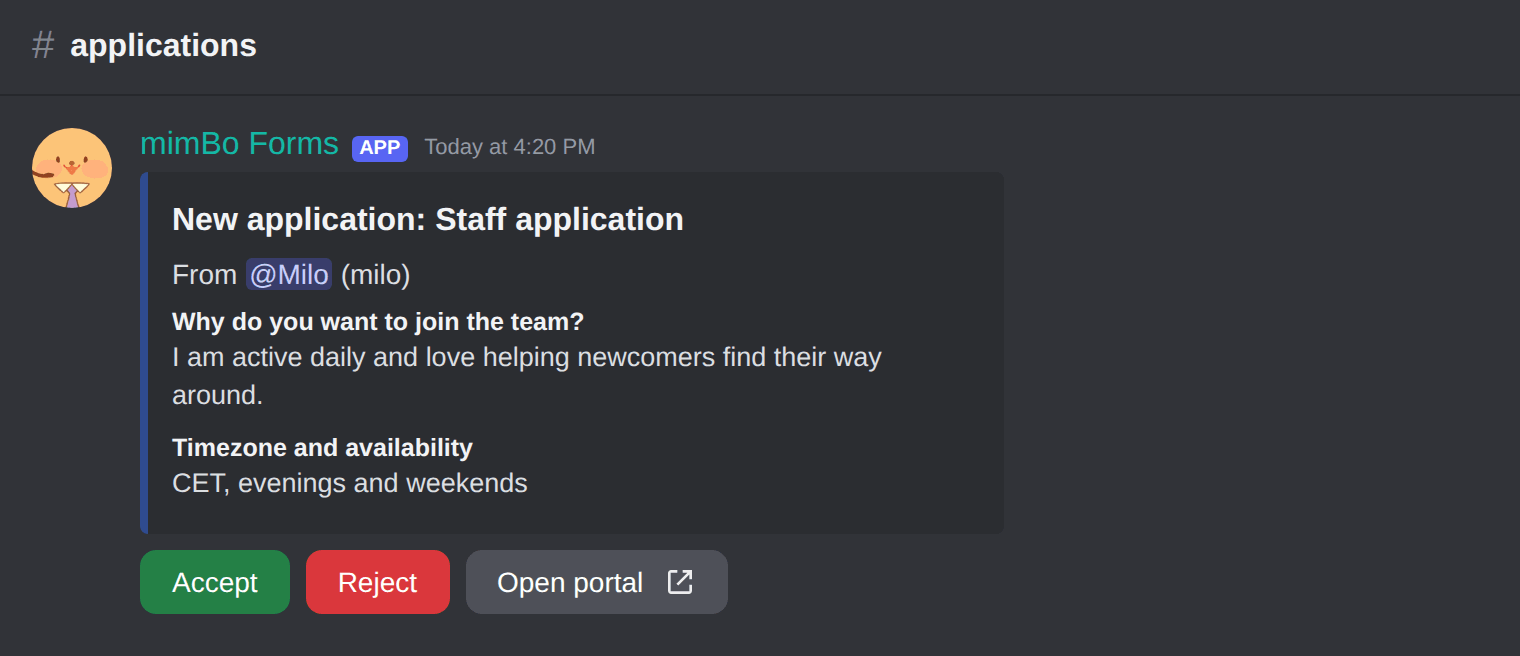
A submission in the review channel with Accept and Reject.
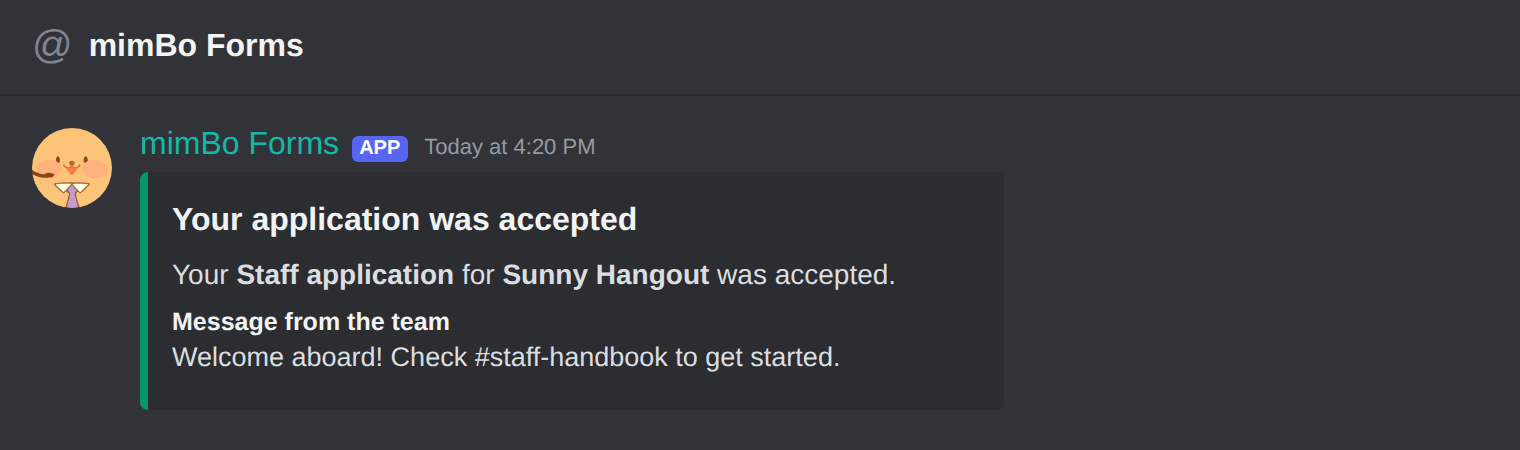
The DM an applicant receives when accepted.
Previous: How to build a Discord application form Next: Every application-forms command and the review flow
Can't find what you're looking for?
Ask us anything in our Discord and we'll help you out.
Ask in our Discord