Help Center / Leveling & XP / How to set up a leveling system on Discord
How to set up a leveling system on Discord
Decide what activity is worth and the rest follows.
Turn it on for your server
- Open the portalGo to mimbos.com and log in with Discord. Pick the server you want to set up. You need to be an admin or the owner.
- Find the Leveling & XP cardOn the module dashboard every bot has its own card. Modules you have not activated yet show a Configure button that starts setup.
- Invite the bot and switch it onThe setup flow invites the right bot with one click and flips the module on. Each module is its own bot, so your slash menu only contains what you actually use.
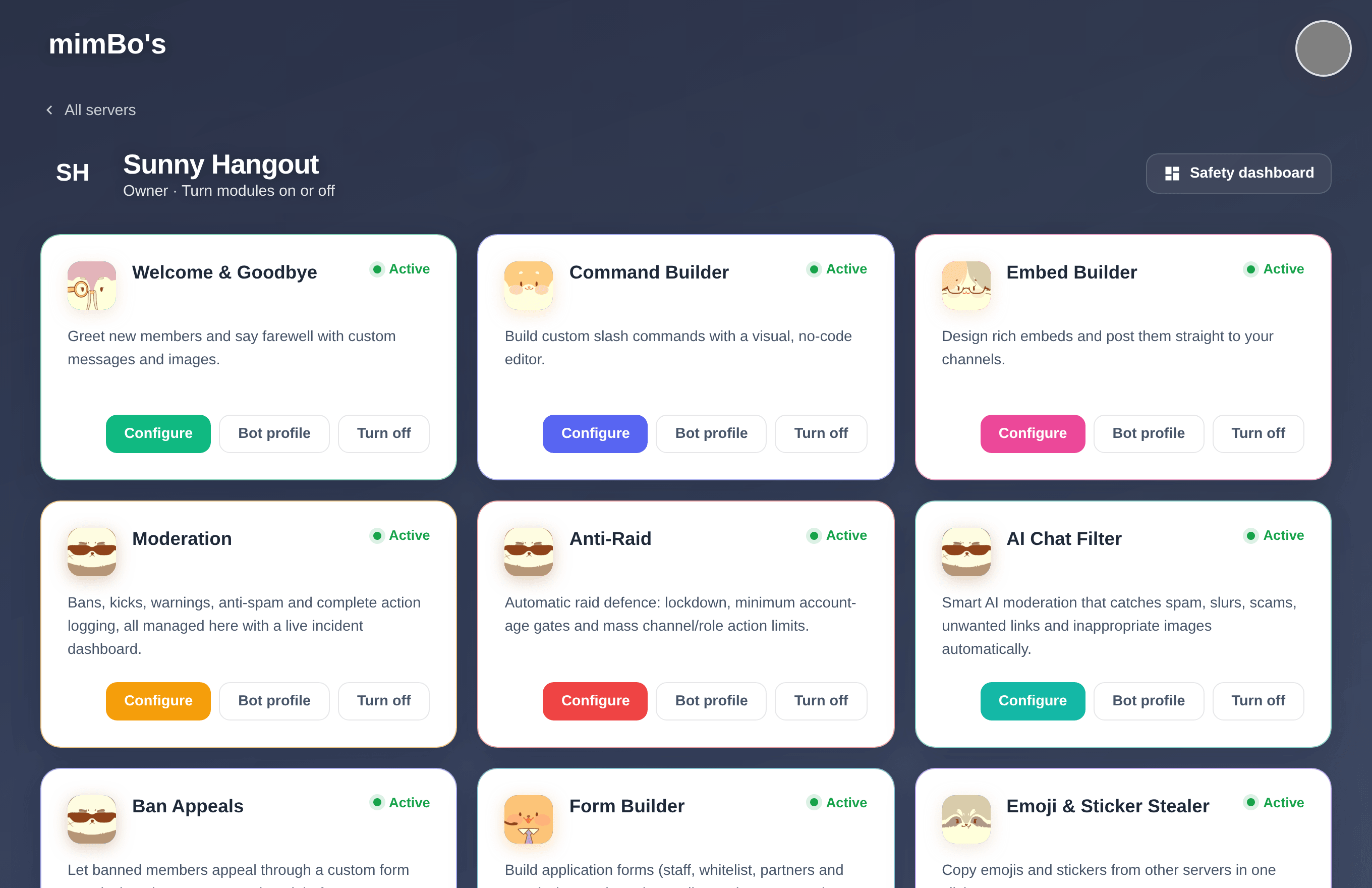
The module dashboard. Every bot has its own card with Configure, Bot profile and on/off controls.
After activating
Open the module from its card or from the sidebar rail on any portal page. Settings save to the cloud and the bot picks them up within seconds. No restarts and no config files.
Tip. If something seems off later, re-run the Configure flow. It re-checks the bot's permissions and presence in your server.
Set XP rates
- Text XPMessages earn 15 to 25 XP by default, with a 60 second per-member cooldown so spam does not pay. Both are adjustable.
- Voice XPTime in voice earns 10 XP per minute by default, with options to skip the AFK channel, skip muted members, and require at least one other human in the call.
- Reaction XPAn optional trickle (5 XP per reaction by default, with its own cooldown) for engagement.
- ExclusionsNo-XP channels and a no-XP role let you keep bot channels and punished members out of the economy.
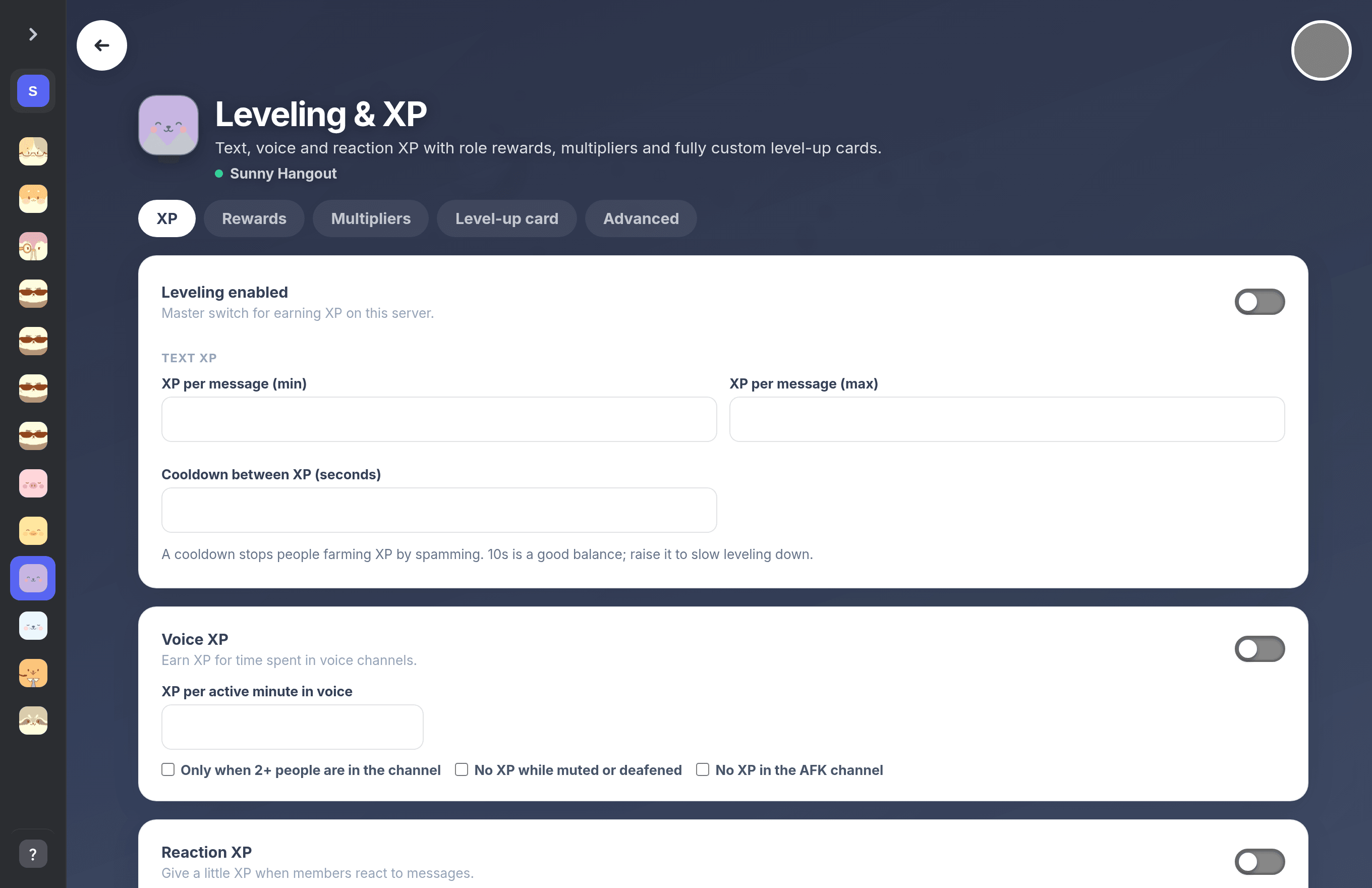
The Leveling & XP settings page.
Can't find what you're looking for?
Ask us anything in our Discord and we'll help you out.
Ask in our Discord