Help Center / Welcome & Goodbye / Every welcome and goodbye command
Every welcome and goodbye command
Design greetings on the dashboard, then test and check them from Discord.
The commands
| Command | What it does |
|---|---|
| /setup | Open the visual dashboard to design welcome and goodbye messages. Needs Manage Server. |
| /quick-setup | The same dashboard link, framed as a fast first-time setup. |
| /test welcome|farewell|welcome_dm [user] | Fire a real welcome, goodbye or welcome DM to preview it (marked [TEST]). |
| /config [section] | Show the current configuration, optionally one section (welcome, farewell, auto, advanced, stats). |
| /stats | Join and leave activity: total joins, leaves, net growth and recent activity. |
| /reset | Open the dashboard to manage or clear settings. |
| /help | The command list, placeholders and a support-server link. |
What it looks like
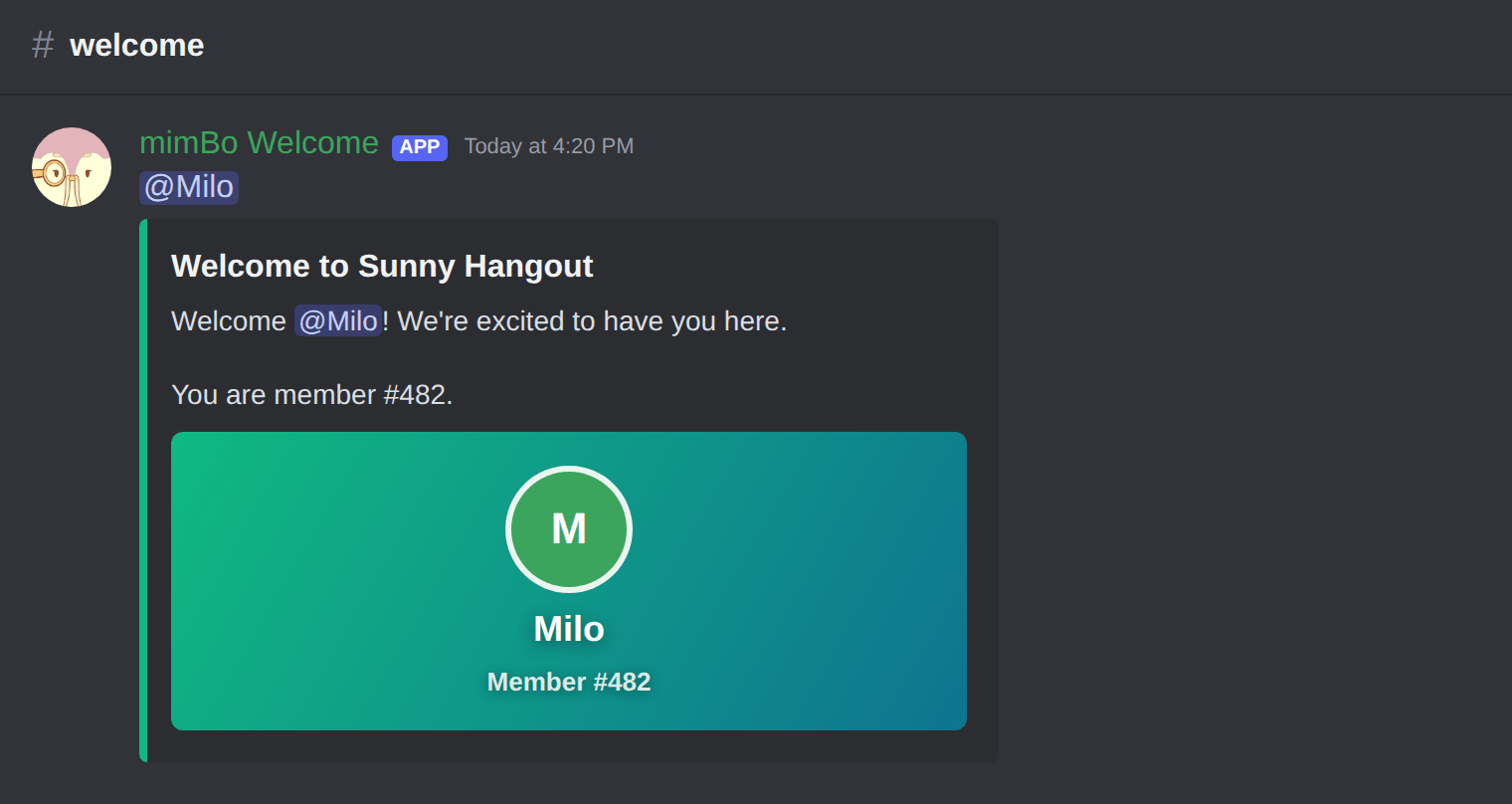
A welcome with the generated image card and the member pinged.
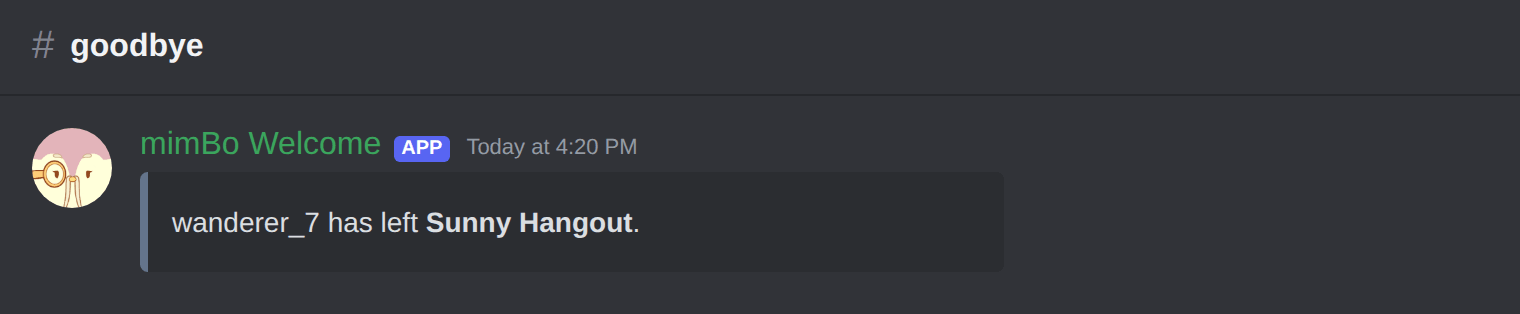
A quiet farewell when a member leaves.
Previous: How to send goodbye messages when members leave Next: Fixing common Discord welcome and goodbye problems
Can't find what you're looking for?
Ask us anything in our Discord and we'll help you out.
Ask in our Discord