Help Center / Getting started / How to add a mimBo's bot to your Discord server
How to add a mimBo's bot to your Discord server
Each module is its own bot. That keeps your slash-command menu clean: a server that only wants giveaways never sees moderation commands.
Activate a module
- Open the module dashboardAfter picking a server you land on the module dashboard, one card per bot.
- Press Configure on a moduleIf the bot is not in your server yet, the portal walks you through a one-click invite, verifies it arrived, and switches the module on.
- Configure and saveEvery module has its own settings page. Changes are saved to the cloud and the bot picks them up within seconds.
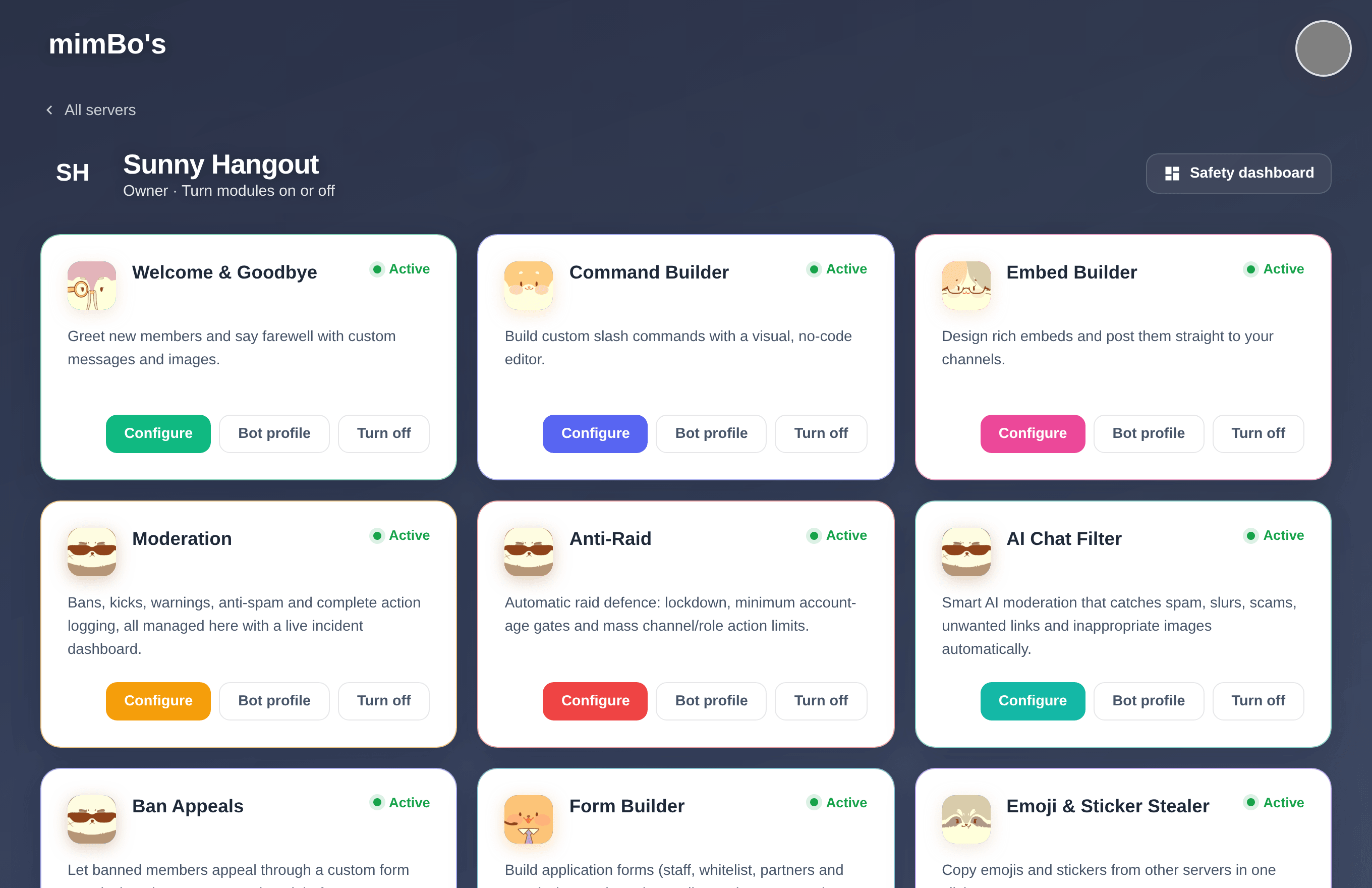
The module dashboard for a server. Green means active, and each card has its own Configure button.
Can't find what you're looking for?
Ask us anything in our Discord and we'll help you out.
Ask in our Discord