Help Center / Leveling & XP / How to make a custom rank card and public leaderboard
How to make a custom rank card and public leaderboard
The rank card is your server's trophy shelf, so it should look like your server.
The card and the level-up message
- Design the cardThe designer changes layout, colours, backgrounds and text with a live preview. Members see it with /rank.
- Write the level-up messageThe default is "GG {user.mention}, you reached level {level}!". Placeholders cover the user, level, server and rank.
- Choose where it goesAnnounce in the channel where it happened, a fixed channel, by DM, or not at all. It can attach the rank card image and auto-delete after a delay.
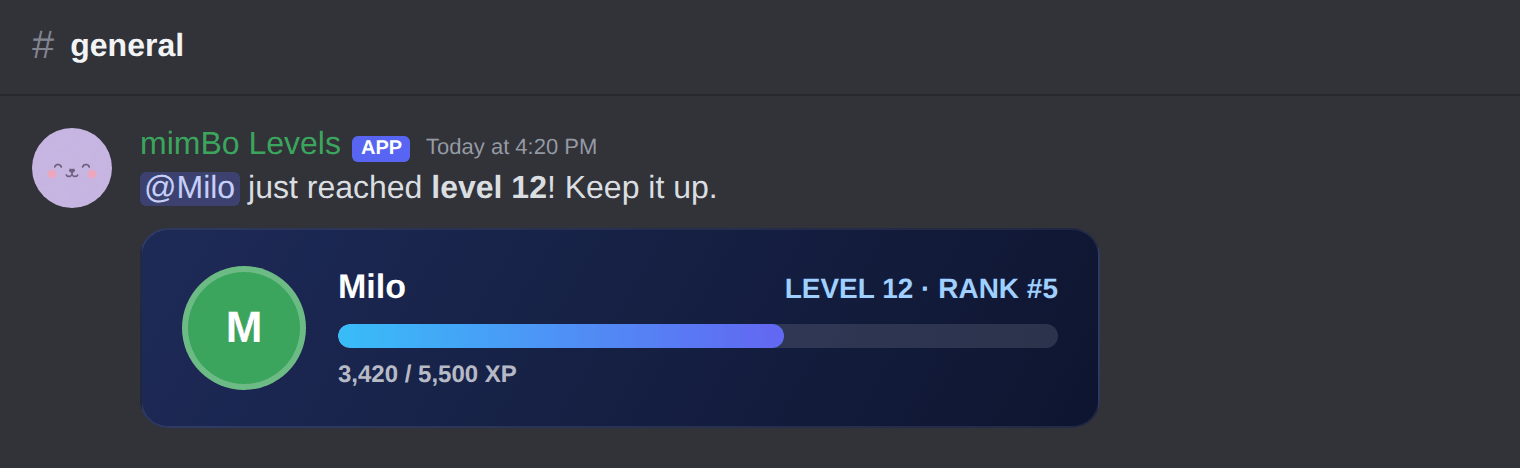
The default level-up announcement with the custom rank card attached.
Commands and the web leaderboard
| Command | What it does |
|---|---|
| /rank user | Show a rank card with level, XP and position. /level does the same. |
| /leaderboard | Top 10 in an embed, with a link to the full public leaderboard on the web. |
| /givexp user amount | Admins: grant XP directly. |
Tip. Every server gets a public leaderboard page at mimbos.com/levels/your-server-id. No login needed to view it.
Previous: How to use XP multipliers and level role rewards Next: Every leveling command and what it shows
Can't find what you're looking for?
Ask us anything in our Discord and we'll help you out.
Ask in our Discord