Help Center / Moderation / Every Discord moderation command and what it logs
Every Discord moderation command and what it logs
Every moderation command your team can run, what it does, and what it writes to your log channel.
Member actions
Every action is logged automatically with who did it and why.
| Command | What it does |
|---|---|
| /ban user [reason] | Ban a member. If Ban Appeals is on they are DMed an appeal link first. Posts a "User Banned" log. Needs Ban Members. |
| /unban userid | Lift a ban by user ID. Needs Ban Members. |
| /kick user [reason] | Remove a member without banning. Needs Kick Members. |
| /mute user time | Timeout a member for a duration like 10m, 1h or permanent. /unmute lifts it. Needs Moderate Members. |
| /timeout user duration | Timeout for a set duration such as 10m, 1h or 1d. |
| /warn user [reason] | Warn a member. DMs them "You Have Been Warned" and counts it on their record. |
| /clearwarnings user | Wipe a member's warning record. |
| /nickname user newname | Rename a member. /resetnick restores the default. Needs Manage Nicknames. |
| /addrep user amount | Add reputation points to a member. Needs Manage Server. |
Channels and messages
| Command | What it does |
|---|---|
| /purge number | Delete 1 to 100 recent messages. The reply is only visible to you. Needs Manage Messages. |
| /slowmode time [channel] | Set channel slowmode in seconds. Needs Manage Channels. |
| /lock [channel] | Lock a channel so @everyone cannot send. /unlock reopens it. |
| /log channel | Set the mod-log channel (also used for the AI Chat Filter log). Needs Manage Server. |
| /antispam on|off | Turn automatic anti-spam on or off. |
Look things up
These three have no permission gate, so anyone can use them.
| Command | What it does |
|---|---|
| /userinfo user | A member's record: account age, warnings, kicks, bans and roles. |
| /serverinfo | A quick server overview. |
| /roleinfo role | Details about a role. |
| /report user reason | Any member can report someone; the report lands in your log and dashboard. |
What it looks like
The record card and a log entry as your team sees them.
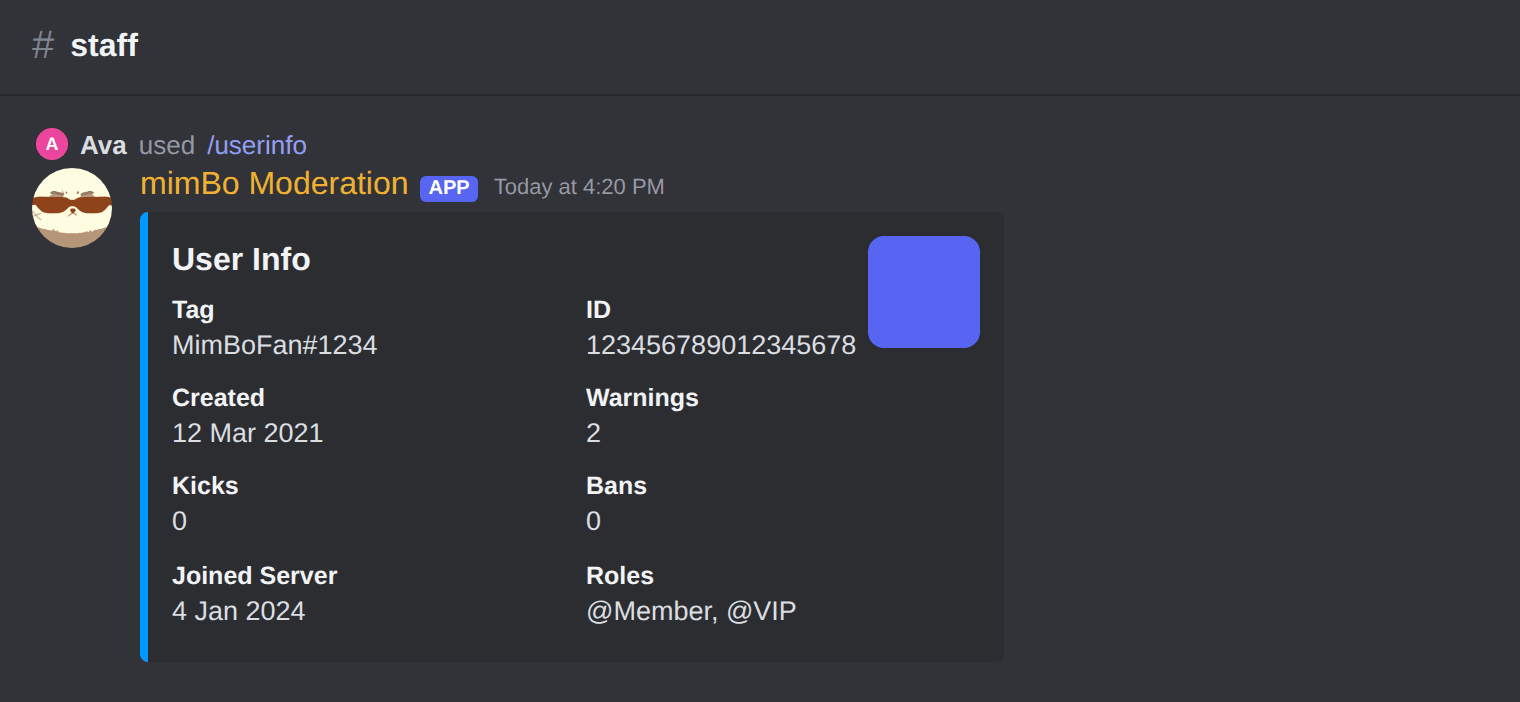
The /userinfo card: account age, warnings, kicks, bans and roles.
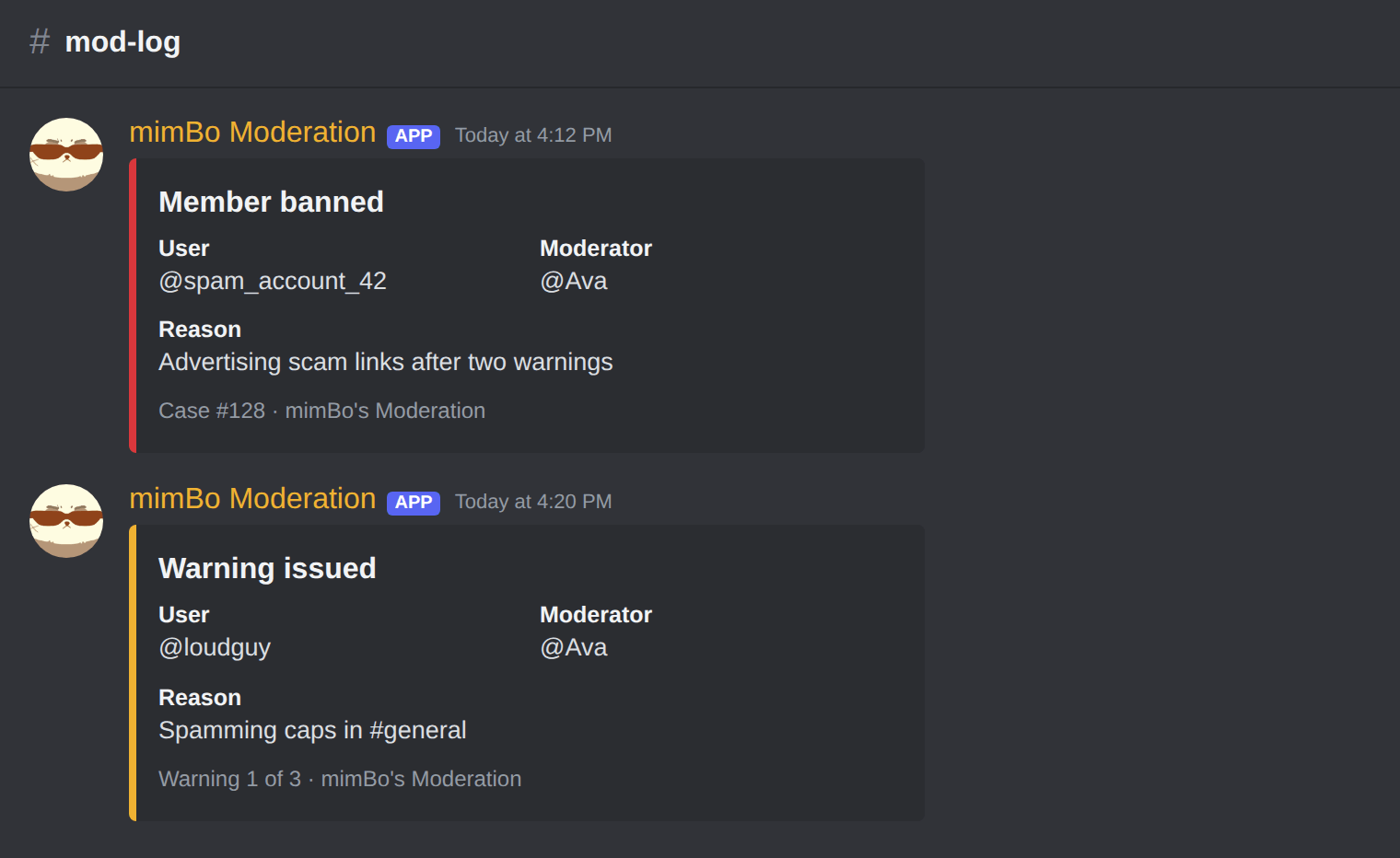
Every action lands in your log channel, tagged with the moderator and reason.
Tip. Give the bot a role above the members it should act on. Discord only lets a bot moderate roles below its own.
Previous: How to monitor everything your moderation bot catches Next: Fixing common Discord moderation bot problems
Can't find what you're looking for?
Ask us anything in our Discord and we'll help you out.
Ask in our Discord