Help Center / Tickets / How to create a Discord ticket panel with categories
How to create a Discord ticket panel with categories
The panel is the front door of your help desk: one button, an optional category picker, and questions staff see before saying hello.
Design and deploy
- Style the panel on the webTitle, description, colour, footer and the button label. The default button says Create Ticket.
- Add categoriesWith categories on, members pick one (General support, Report a member, Partnership) before the ticket opens, and each maps to its own Discord category.
- Add pre-ticket questionsUp to five custom questions appear in a popup before the ticket opens. Without custom questions, members fill in a Subject and Description.
- DeployPick the channel and press Deploy in the portal, or use /panel in Discord.
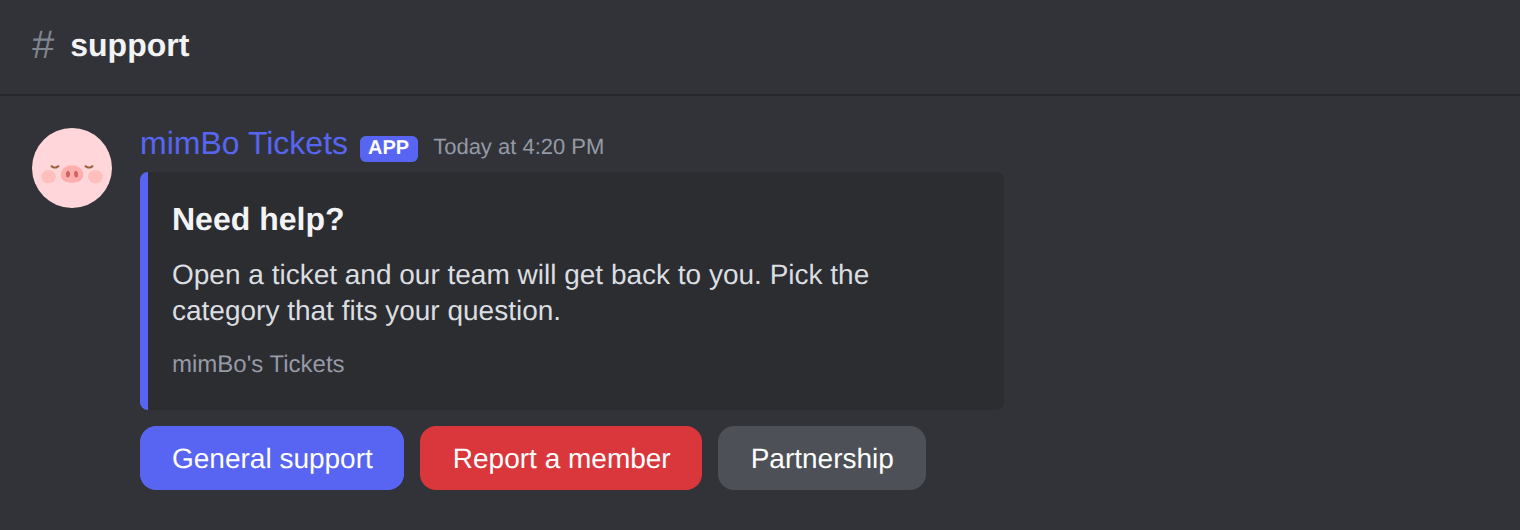
The deployed panel with its Create Ticket button.
Previous: How to set up a ticket system on Discord Next: How to work tickets: assign, prioritise, close and transcripts
Can't find what you're looking for?
Ask us anything in our Discord and we'll help you out.
Ask in our Discord